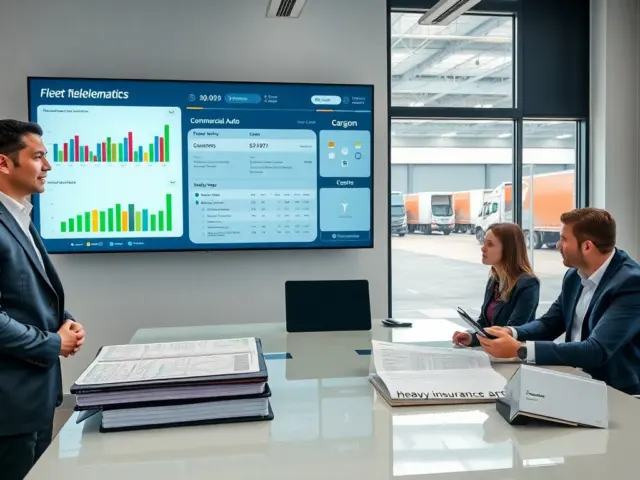
Fleet tracking for construction helps project teams track vehicles and equipment. The system sends location, idle time, fuel use, and maintenance alerts. Managers use the data to cut costs, assign jobs faster, and enforce safety rules. The article explains why fleet tracking for construction matters, which features matter most, and how teams can deploy a system with clear KPIs and simple steps.
Key Takeaways
- Fleet tracking for construction provides real-time location and telematics data, enabling managers to optimize resource allocation and reduce costs effectively.
- Geofencing and driver behavior monitoring enhance safety by alerting supervisors to speed violations and restricted zone entries on construction sites.
- Maintenance scheduling features in fleet tracking prevent equipment breakdowns by sending timely reminders, reducing downtime and repair expenses.
- Implementing fleet tracking with clear KPIs—such as fuel consumption, idle time, and on-time delivery—helps teams track performance and make informed improvements.
- Starting with a pilot program and providing thorough staff training ensures successful adoption and maximizes benefits of fleet tracking for construction.
- Integrating fleet tracking systems with existing project management and payroll tools increases accessibility and streamlines operational workflows.
Why Fleet Tracking Matters On Construction Sites
Fleet tracking for construction delivers precise location data of trucks, cranes, and smaller equipment. Project managers use that data to plan deliveries and reduce waiting time. Superintendents check vehicle status and reassign resources when delays occur. The system logs idle time and fuel use. Finance teams use those logs to spot waste and cut fuel costs.
Fleet tracking for construction improves safety on site. Supervisors monitor speed and geofence sensitive areas. The system sends alerts when a vehicle enters a restricted zone. Safety officers review alerts to correct dangerous habits and to train drivers.
Fleet tracking for construction supports maintenance. The platform tracks engine hours and sends service reminders. Technicians schedule upkeep before breakdowns occur. The approach reduces downtime and lowers repair bills.
Fleet tracking for construction also supports claims and audits. The system stores time-stamped location and usage records. Teams use those records to resolve disputes about delivery timing or equipment use. Owners and contractors gain clearer accountability for work and charges.
Key Features To Look For In Construction Fleet Tracking Systems
Real-time GPS matters. A system must update locations every few seconds or minutes. Managers need current positions to reroute trucks and to confirm deliveries. Fleet tracking for construction should offer accurate maps and simple dashboards.
Telematics data matters. The platform should record engine hours, fuel consumption, idle time, and mileage. These metrics let teams measure fuel waste and machine wear. Fleet tracking for construction should integrate telematics with job records.
Geofencing and zone rules matter. Users must set site boundaries, speed limits, and loading areas. The system must send alerts when vehicles cross those boundaries. Supervisors then act on alerts and log corrective steps.
Maintenance scheduling matters. The platform should set reminders based on hours or miles. It should link to work orders and parts lists. Fleet tracking for construction saves time by centralizing service data.
Driver behavior tools matter. The system should flag hard braking, harsh acceleration, and excess idling. Safety teams should use those flags in coaching sessions. Fleet tracking for construction must support video or event data for review.
Integration and mobile access matter. The system should connect to payroll, dispatch, and project management tools. Crews should access maps and alerts from mobile phones. Fleet tracking for construction should also export reports in common formats for finance and compliance.
Implementing Fleet Tracking: Practical Steps, KPIs, And Best Practices
Start with clear goals. Owners should state goals like cut fuel use 10%, reduce idle time 20%, or lower accidents. Teams should pick three KPIs and track them daily. Fleet tracking for construction works best when goals stay simple.
Choose the right pilot. Managers should test the system on one crew or one project. The pilot should run four to eight weeks. Teams should collect baseline data before the pilot. Fleet tracking for construction pilots reveal common issues early.
Train staff. Supervisors must learn the dashboard and alerts. Drivers must learn privacy and safety rules. The vendor should provide hands-on training and quick reference guides. Teams should set clear rules for data review and for driver coaching.
Define KPIs. Use fuel consumption per hour, idle minutes per shift, on-time delivery rate, and maintenance completion rate. Track KPI trends weekly. Fleet tracking for construction should show KPI changes after each process change.
Review data and act. Project leaders should meet weekly to review reports. They should assign owners for issues such as excess idling or late loads. Small changes like adjusting routes or scheduling service can reduce costs fast.
Keep the system simple. Start with core features and add tools later. Document rules for alerts and for data use. Share wins with crews to increase buy-in. Fleet tracking for construction becomes a standard tool when teams see quick benefits.